Breakthroughs in Wellness and Recovery Newsletter
Food labels can be difficult to compare in a busy grocery aisle. This guide looks at four popular barcode-scanning apps, Bobby Approved, Yuka, Trash Panda, and Fig, and explains how each one approaches ingredients, nutrition, additives, allergies, and dietary preferences.
Food Scanning Apps Compared
A barcode scan can turn a crowded ingredient panel into a faster, more organized summary, but the apps do not all evaluate products in the same way.
Bobby Approved centers its own ingredient standards. Yuka combines nutritional quality, additives, and organic certification into a score. Trash Panda focuses on ingredient-level explanations and research links. Fig builds results around the foods, ingredients, allergies, and dietary patterns selected by the user.
Bobby Approved

Bobby Approved works like a fast screening tool for shoppers who want a clear answer without reading a long report.
After a barcode scan, the app shows whether the product meets its ingredient standards and highlights ingredients it flags. The app listing also describes ingredient details, product search, store browsing, and alternative suggestions.
Yuka

Yuka is built for shoppers who want a quick overall score with a clear visual explanation.
The food score combines nutrition information, including sugar, sodium, saturated fat, calories, protein, fiber, and fruit or vegetable content, with the presence of additives and an organic-certification bonus. The app also provides a product detail sheet and may recommend better-rated alternatives.
Trash Panda

Trash Panda is the most research-focused option in this comparison for shoppers who want to open the ingredient list and understand why something was flagged.
The app provides plain-language ingredient explanations and links to supporting studies. It also identifies bio-engineered ingredients. Premium features include additional dietary and allergen preferences, unlimited scans, ingredient search, and curated shopping lists.
Fig

Fig is designed for people whose primary question is not simply, “Is this healthy?” but, “Does this product fit my specific restrictions?”
Users can build a profile around allergies, intolerances, specialized diets, and individual ingredients. Fig then checks labels and helps users search for compatible products. The company advises users to treat the app as a guide and always double-check the package before purchasing or consuming a product.
So, What Is the Bottom Line?

No single scanner does everything perfectly. A practical approach is to choose one app for your main goal, then confirm important decisions by reading the package yourself.
- Scan the barcode and review the app's summary.
- Open the ingredient-level explanation instead of relying only on the headline score.
- Compare the serving size and Nutrition Facts panel.
- Recheck the package every time, especially when allergies are involved.
- Use a licensed healthcare professional or registered dietitian for individualized medical nutrition guidance.
Start small: Scan the products you buy most often. The goal is not to become afraid of every unfamiliar ingredient. The goal is to understand the label, compare options, and make decisions that fit your needs.
Referral Bonus
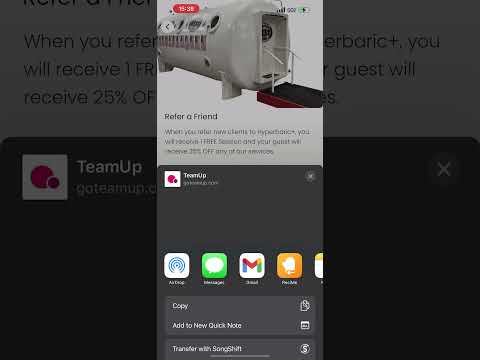
When you send your friend a referral, you can earn a free session and they receive 25% off their first eligible session when they book through your referral.
Your free session posts after your referred guest books through your personalized referral, attends, and pays for the eligible session.
Watch the Referral Tutorials

Use Technology to Ask Better Questions
Food-scanning apps can make label reading faster, but the strongest decision still comes from combining the app's explanation with the actual package, your personal needs, and reliable professional guidance.